
Find in the Resource Availability add-on an option to display the number of places available for an event based on the resources available at that time.

For example, if you have 10 scooters in total, to be split between Event A and Event B, and a customer reserves 3 for Event A, you probably want to inform your site visitors that there are only 7 out of 10 places left for Event B.
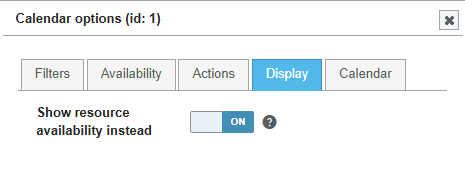
To do this, enable the “Show resource availability instead” option in Booking Activities > Booking forms > your form > Calendar settings > Display tab.
This feature is partially compatible with groups of events: all events in the group must be displayed for this to work.