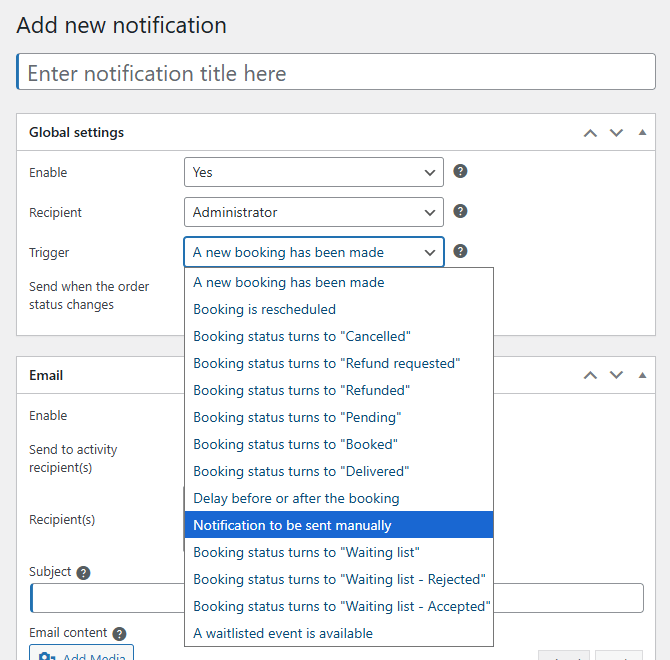
Version 1.18 of Booking Activities changes how notifications are managed, both in the code and in the backend. Go to the new Booking Activities > Notifications submenu to find your notification list and edit them.
List and filter notifications
The notification list is displayed as a table seamlessly integrated with WordPress, which you can customize via the “Screen Options” in the top right corner. You can also filter the list to quickly find your notifications by title, recipient, or trigger.

Edit a notification
The notification editing page has also been redesigned for better integration with the WordPress interface.

Access rights
You can now define who can manage which notifications.
The following capabilities can be assigned to roles/users using a plugin such as User Role Editor: bookacti_manage_notifications, bookacti_edit_notifications, and with the Notification Pack add-on: bookacti_create_notifications, bookacti_delete_notifications.
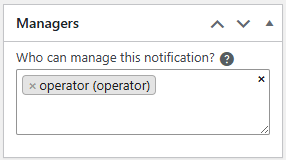
You can then define the managers for each of your notifications; they must have the bookacti_edit_notifications permission. Users with the “Administrator” or “Shop Manager” role can manage all notifications natively.
Compatibility
When you update Booking Activities and its add-ons, your old notifications will be automatically migrated to the new system; you will not lose any data.
The official Booking Activities add-ons have also been updated to be compatible with this new system.
If you have custom code related to notifications, you will probably need to update it because many hooks and functions have been changed.
Notification Pack 1.4
The Notification Pack add-on, in particular, adds many features: create new notifications, restrict them to specific calendar/activities, send automatic reminders, and more. A new feature is the ability to create notifications that can only be sent manually from the booking list.